Thursday, 17 May 2018

Connecting Students with Google Duo


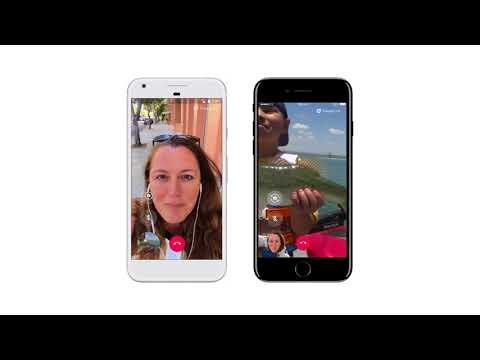
Google Duo is an incredibly simple but useful app. Available for free to both Android and iOS, this video calling app is very smooth, stable, and easy to use. You simply call someone through their phone number and if they do not already have the app it will text them an invite with a link (no need for usernames or other account information).

https://duo.google.com/

Connecting students through Google Duo could take many forms to aid in their collaboration.

1. Students could be working alongside another class in another school during class time and could collaborate with their partner or group through Google Duo. Bring your own device would be a great way to implement this type of activity.
2. Students working on a project together could continue their collaboration after class time through Google Duo rather than needing to get together (perhaps they live far apart or transportation to get together is difficult to arrange)
3. Students working on a project together could separate to be more efficient within the school and stay connected through duo. For example, one student could go to the 3D print lab while the other could go to the library but they could continue their conversation including showing each other things they are gathering for their projects.
4. With much advanced planning, connections to students from around the world could be arranged. Of course things like time zones could be a large limiting factor with this type of connection.

Not only is Google Duo a great tool to use for class related student collaboration, but it would also help students to be more comfortable talking to their peers face to face and encourage them to make video calls to their peers/friends after class time. In a time where texting is quickly overtaking phone calls and face to face conversation, introducing a way to reintroduce face to face (or at least almost face to face) communication is also of great social benefit.


http://zitscomics.com/comics/january-14-2015/

Wednesday, 25 April 2018

Blended Learning: How To Make It Work


In beginning to do more research on blended learning and the flipped classroom, I found it somewhat overwhelming to start. The more I researched, the more I started to feel myself feeling defensive against the idea, thinking “there’s not enough time in the day to make this work”, and “teacher’s aren’t super humans, how are we supposed to keep up this type of pace on a day to day basis”.
Then I had a change of heart.

I was envisioning using these models with the challenges and results that I have faced in the past with a more traditional model, and the ideas behind using these out of the classroom lesson times would allow for more time to be able to actually work with the students and have the students exploring ideas and developing further concepts.

I’m sure there are a lot of you going through this same though process where you are overwhelmed with all that is involved in being a teacher. Adding the idea of blended learning on top of everything else seems incredibly daunting.

It’s hard to change, especially when something has been consistent for years and years, generations on generations. But we know that things can definitely be improved for student learning and the ability to create more independent thinkers rather than just knowledge holders. The world around us requires that we change and improve our critical thinking skills and problem solving skills. We have so many resources available to us constantly to provide us with facts that spending so much time learning and storing facts is no longer beneficial.


Quick Steps to get Started: (from https://www.gpaed.com/blended101/)
  1. Identify your Needs and Gather Resources
 2. Choose the blended learning model that fits your needs (flipped, station rotation, etc. )
 3. Plan for project-based learning
  4. Design tests, games, and discussion
 5. Flip or rotate your classroom
 6. Model digital citizenship


Instruction time to explain a new concept should only take 10-20 minutes. The idea of being able to create a video, or podcast to have accessible to the students during a time other than their slated 75 minutes(or however your timetable runs) in class, especially once a routine and equipment have been set up, feels manageable. This would allow for students to watch, and re-watch if needed, the lesson that explains the basic concepts that they will be working with to further explore. Once the class time comes, you as the teacher could allocate your time with the students needing additional assistance, and can also vary tasks based on student need. Previous time needed during prep would be freed up by being able to do more assessment with the students during class time, which is one of the reasons making the lesson video/podcasts is feasible within time constraints. My main concern comes in the form of “what if the students don’t/can’t watch the lesson on their own time”. As much as we are wanting and hoping to be building up a group of learners who are self-driven and motivated, can you really count on them doing that, and will that result in some of the students falling even further behind? I supposed that in the scenario where students watch a 15 minute lesson prior to the class time and then work on investigations and collaborations in class, a student who did not watch the video ahead of time could watch it in the first 15 minutes of the class and then begin their investigations afterward. And as much as you may want your students to be consistently watching the lessons out of class time, you would also want to remember that they likely have other courses, extracurricular activities, volunteer hours, chores, part time jobs, sibling to watch, and more; and that’s OK.

Making drastic changes to better our students and our world is our task as educators.


Resources:
https://www.gpaed.com/blended101/
https://www.edutopia.org/blended-learning-resources
https://www.youtube.com/watch?v=iQWvc6qhTds

Connecting Students with Google Duo

Google Duo is an incredibly simple but useful app. Available for free to both Android and iOS, this video calling app is very smooth, stabl...